
Xero Invoice Scanning Apps to Scan Invoices Into Xero
Oct 12, 2026
Try it now: upload an invoice and get the data in Excel or CSV
Upload your invoices
PDF, JPG, PNG, BMP, HEIC and TIFF
Drop files here or click to upload
Up to 50 files
Uploading...
Short answer: every Xero plan in the US already includes invoice scanning through Smart Document Capture, which is Hubdoc under a new name. It reads the supplier, date, total, invoice number and due date and creates a draft bill. It does not read line items. If your bills need every line (job costing, inventory, food cost, rebillable expenses), you need a scanning app that extracts lines, and at 300 bills a month that costs anywhere from $49 on a flat extractor to $150 to $180 on per-document tools.
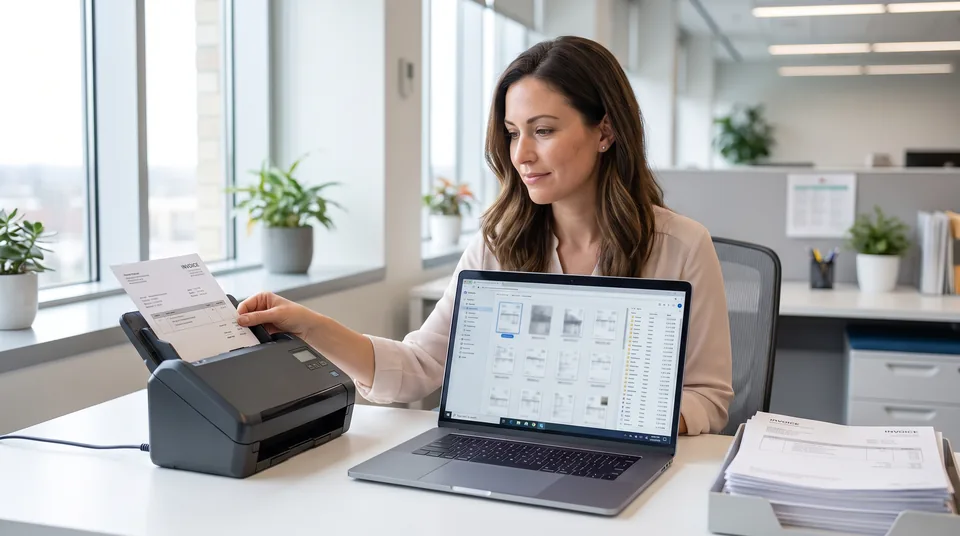
This comparison is written for US bookkeepers, controllers and small AP teams who run Xero and are deciding this month how bills should get in. Prices are the published list rates on each vendor's own pricing page, read between late September and October 2026. If you want to see what line item output looks like on one of your own bills before reading further, drop it into the tool at the top of this page.
Does Xero have an invoice scanner?
Yes. Xero includes invoice and receipt scanning on every US plan, listed on the pricing page as Smart Document Capture, and it is the Hubdoc engine. You photograph or email a bill, Xero reads the header fields, and a draft bill appears in Bills to pay with the document attached. For a business that needs the total coded to one account, that is enough and it costs nothing extra.
The limit is line items. Xero's own product ideas board has a request for line item extraction in Hubdoc with over 200 votes, marked "Not in pipeline", and a Xero community manager has said there are no further developments planned for extracting more line detail. So the built-in scanner is a header scanner, and it will stay one. Xero's plans also cap bills on the entry tier: Early, at $27 a month, allows 5 bills a month, while Growing ($59) and Established ($97) remove the cap.
How do I scan invoices into Xero?
There are three ways to scan invoices into Xero: Smart Document Capture inside Xero, a connected capture app that publishes bills through the Xero API, or an extraction tool that turns PDFs into a CSV you import under Bills to pay. The first is free and header only. The second costs per document and syncs automatically. The third costs a flat monthly fee and gives you every line in a file you check before import.
- Built-in capture. Forward the bill to your Xero document email or upload it in the app. Review the draft bill, add the account code and approve it.
- Connected app. Connect Dext, Datamolino or BillBjorn from the Xero App Store, send bills to the app, review the extraction there, then publish to Xero as a bill.
- Extraction plus CSV import. Upload a batch of PDFs, check the rows, export a CSV in Xero's bill import layout, and import it in Bills to pay. Our guide to converting invoices to Xero walks through the column mapping.
Xero invoice scanning apps compared
The table below costs each option for a US business posting 300 one to two page bills a month where line items matter. Where a tool charges extra for line items, that rate is used, because a header-only price is not a fair comparison for this buyer.
| Option | Reads line items | How it gets into Xero | Cost at 300 bills a month | Best for |
|---|---|---|---|---|
| Xero Smart Document Capture (Hubdoc) | No, header fields only | Draft bill inside Xero | Included in Growing ($59) and Established ($97) | Bills coded to a single account |
| Hubdoc standalone | No | Publishes to Xero or QuickBooks Online | $12 a month | Firms using Hubdoc outside a Xero subscription |
| Dext business | Yes, as a paid add-on | Publishes through the Xero connection | $25.21 a month for 250 documents, plus line item documents at $0.50 each or $20.50 per 50, so about $150 a month all lines, plus a larger allowance above 250 documents | Teams that also want receipts, supplier statements and mobile capture |
| Datamolino Build plus extra bills | Yes, on the line item plans | Publishes to Xero, QuickBooks Online or FreeAgent | $95 for 250 with line items plus 50 at $0.38, about $114 a month | Bookkeepers who want approvals included and unlimited users |
| BillBjorn | Limited, per user reviews | Creates bills, spend money or credit notes | Not published on the Xero App Store listing; 30-day trial | Simple header capture with bulk upload |
| InvoiceExtractor Starter | Yes, included | CSV import in Bills to pay | $49 a month, flat, 2,500 Base AI pages | Multi-line supplier bills at volume, reviewed before import |
Two caveats keep this honest. Dext and Datamolino both publish straight into Xero without a CSV step, and that convenience is worth something if your team never wants to touch a file. And Dext's included allowance is generous on receipts, which a pure invoice extractor does not try to handle. If most of your volume is expense receipts rather than supplier bills, a capture app is the better fit. For the side-by-side detail, see Dext vs Hubdoc pricing and our Datamolino pricing in USD breakdown.
Can Xero read line items from an invoice?
No. Xero's built-in capture reads header fields such as supplier, date, invoice number, due date and total, and leaves line descriptions, quantities and unit prices for you to enter. A bill with 20 product lines lands as one line at the total. If you need those 20 lines split across accounts, tracking categories or inventory items, they have to come from another tool or from a person typing.
This is the single question that decides which app you need. Run through last month's bills and count how many had more than one account code or tracking category. If it is under one in ten, Smart Document Capture plus a few minutes of manual splits is the cheapest setup you will find. If it is most of them, header capture is creating work, not saving it. The invoice line item extraction page shows the full field list a line-level tool returns.
What is the best app to scan invoices into Xero?
The best app depends on whether you need line items and how many bills you post. For header-only bills at any volume, use the Smart Document Capture already in your Xero plan. For mixed receipts and bills with straight-through publishing, Dext is the most complete capture app. For line-item bills at a few hundred a month, a flat extractor with a CSV import is the lowest cost per bill.
Here is how that plays out at three volumes a US Xero business commonly runs at:
| Bills a month with line items | Dext business | Datamolino | InvoiceExtractor |
|---|---|---|---|
| 100 | $25.21 plus about $41 of line item documents, so about $66 | Start with line items, $45 | Starter, $49 |
| 300 | About $150 plus documents above the 250 allowance | About $114 | Starter, $49 |
| 600 | About $271 plus documents above the 250 allowance | Grow $180 plus 100 at $0.36, about $216 | Starter, $49 |
Dext line item math uses the $20.50 bundle of 50 documents, applied to every bill beyond the five included. Datamolino uses its published USD line item plans and overage rates. At around 100 bills a month the three are within $20 of each other, and the choice should come down to workflow. Past 300, a per-document meter costs two to four times a flat plan for the same lines.
How do I import scanned invoices into Xero as bills?
In Xero, go to Business, then Bills to pay, choose Import, download the template, and upload a CSV with one row per bill line. Each row repeats the contact name, invoice number, invoice date and due date, and carries its own description, quantity, unit amount, account code and tax type. Rows that share an invoice number become one multi-line bill, saved as a draft for you to approve.
The import is where most manual setups break, because a scanned PDF has no rows to import. An extractor fills the template from the document: you set the column layout once to match Xero's template, including a default account code, and every later batch exports in the same shape. Imported bills arrive as drafts, so an approver still signs off before anything gets paid, which keeps the control your auditor expects.
Once bills are approved and paid, the bank side follows. Card spend and employee out-of-pocket costs are a separate stream, and for those a dedicated expense management tool that reads receipts and categorizes spend keeps them out of your supplier bill workflow.
Do I still need Hubdoc if I use a line item tool?
Usually not for bills, though many firms keep it for receipts and statements because it is already included. Running both on the same bill creates duplicates, so pick one route per document type: supplier bills through the line item tool, and receipts and bank documents through Smart Document Capture. Write that rule down for the team, or someone will forward the same invoice to both.
The bottom line on Xero invoice scanning
Start with what Xero already gives you. If your bills are single-line, Smart Document Capture is free and good enough. If they are multi-line and you post more than 100 a month, compare the per-document price of a capture app against a flat extractor using your own counts, not the headline plan price. For a deeper look at the Xero side of AP, our AP automation for Xero page covers approvals and payments, and Hubdoc pricing sets out exactly what the included scanner does and does not read. If you are replacing it for multi-line bills, see our Hubdoc alternative for Xero and QuickBooks comparison.